Overture

Overture
License:
Trial version
Language:
English
Developer:
Developer's website
OS:
Mac OS X
Updated:
See detailed info

Softonic review

Nick Mead

“Easy-to-use but professional music notation software”

by Nick Mead about Overture

Although I can just about play the guitar, I could never read music. I was always from the Sex Pistols school of thought that knowing how to read music or play and instrument properly wasn't really important to be a musician.

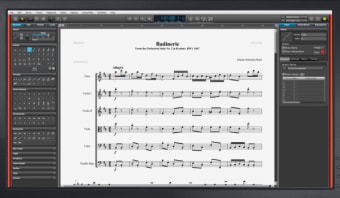
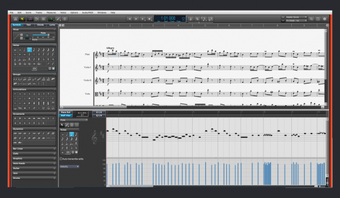
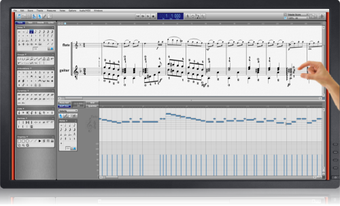
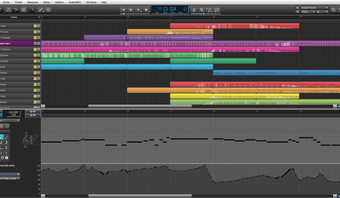
Overture is for all those that believe otherwise, enabling anyone that knows how to write professional looking musical sheets and scores. Adding and removing notes is as easy as drag-and-drop and you can even record your masterpiece into a MIDI file to get an idea of how it would sound. The aim is to put as many essential composition components at your fingertips so that you spend more time composing and less time scrolling through menus for the right note.

Most professional musicians either use Overture, Sibelius, Finale or Encore as their notation program of choice which gives an idea of the esteem that Overture is held in. If Overture has an advantage over the above however, it's probably that it's incredibly well presented and elegant in look and feel. Added to this, it's considerably more user friendly than most other major packages allowing beginners to get their first taste of music composition. Just try composing one note in Finale or Sibelius and you'll see what I'm talking about.

One of the biggest joys with Overture is the ability to add and edit lyrics with relative ease. For most users, this means that Overture will be their immediate choice ahead of those such as Sibelius that don't even support such a feature although professional conductors complain that Overture does not allow intricate control over notation that you get in other packages.

If you're looking for a balance between ease of use and professional results, then Overture treads the balance perfectly.

Pros
  • Comparatively easy to use for a notation app
  • Supports ease of adding lyrics
  • Well presented and elegant
Cons
  • Doesn't offer intricate control for complex compositions
Download Overture 4.1.0 P22

Overture is virus free

We have analyzed the latest version of Overture with 30 antivirus engines and it is virus free. See analysis results.

TESTED VIRUS FREE - Softonic GUARANTEED

Review and rate Overture

Your avatar

Your opinion is important.

Help other users - be the first to review this program.

Review
  1. Maximum: 75 characters

  2. See example

Pros and Cons
Rate
  1. What rating would you give Overture?

    You need to fill in all fields

    • Usability:

      Not rated
    • Stability:

      Not rated
    • Installation:

      Not rated
    • Functionality:

      Not rated
    • Appearance:

      Not rated
    • Overall rating:

      Not rated
  2. Don't worry, we won't make your email address public.

You're not allowed to share serial numbers, cracks, etc. or link to pages that contain them. If you do, your user account will be deleted, your IP address logged and legal action will be taken.

Get started - just ask a question!

Write a title for your question.

Alternativesto Overture

  • In English:
    cue-splitter
    cue-splitter

    Split long MP3s using a CUE-file

    Softonic rating:
    • 8/10
    User rating:
    • 6/10
  • Free:
    XBMC
    XBMC

    Powerful media centre for Macs or Apple TV

    Softonic rating:
    • 9/10
    User rating:
    • 6/10
Compare with Overture
Download rank: Editors & Managers

15 of 87

Softonic rating:
  • Very good
  • 8/10
Your rating:
Your rating
  • 0

Review and rate this program

Top Downloads: Editors & Managers

  • United States
  • Global

  1. iMovie '11

    Apple's official video editing suite for Macs

  2. Final Cut Pro X
  3. ImTOO Movie Maker for Mac
  4. Sound Studio
  5. Avidemux

Reviews of Overture in other languages